How Apollo AI Works, Step by Step
From logging in to writing down your numbers, here is exactly what happens on screen.
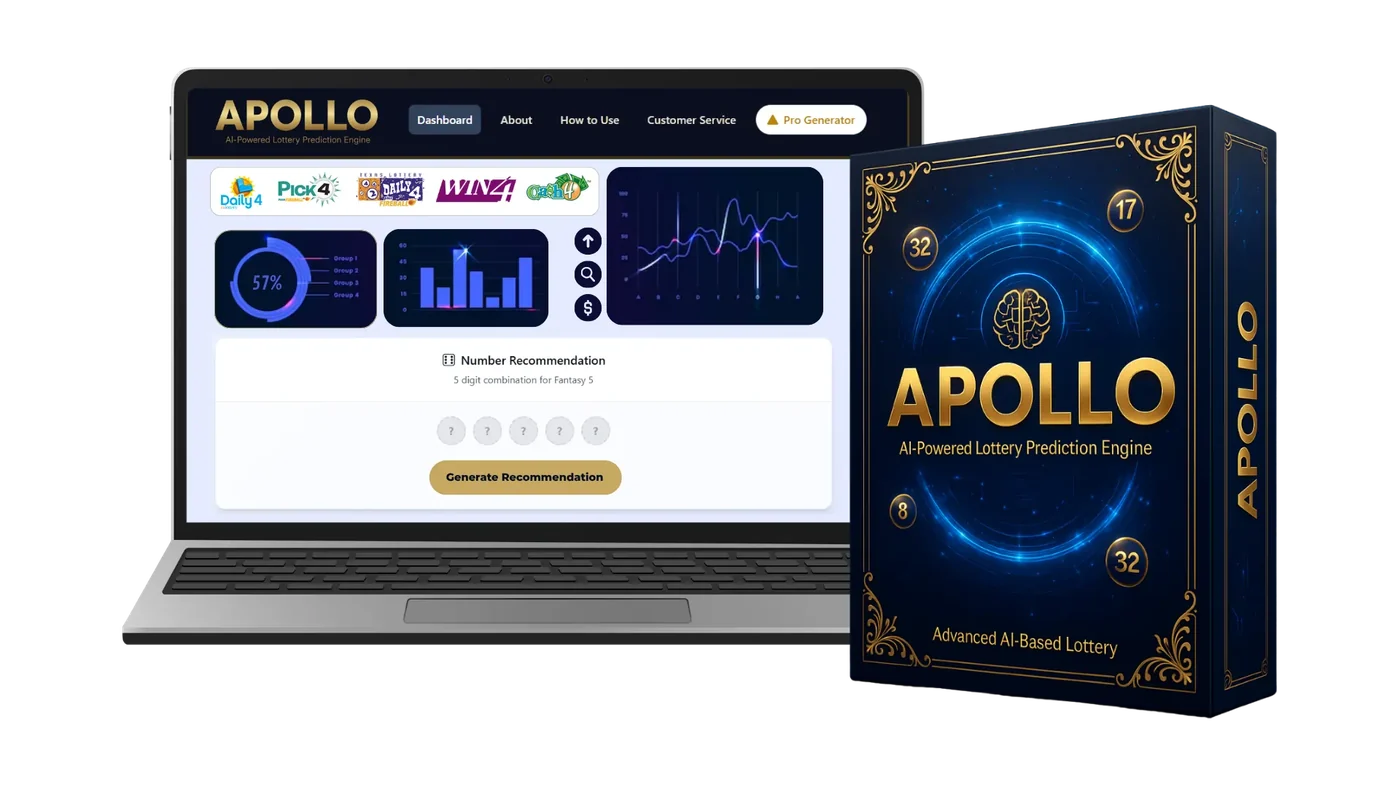
Five Short Steps
Apollo AI keeps the same layout every time, so after one or two uses the routine becomes automatic.
Log in and choose a game
Open the dashboard in your browser. The top row shows the supported games. Tap the one you plan to play, for example a Pick 4 or a Fantasy 5 style game.
The engine loads past results
The draw history library brings in earlier results for that game. You don't need to search result websites or type anything in.
Numbers are sorted into groups
The neural pattern model counts how often each number appeared and how long ago it last showed up, then places numbers into four groups.
You read the charts
The chart suite shows a group ring, a bar chart and a trend line. Take a minute to see which numbers have been busy and which have been quiet.
You generate a set and play
Press Generate Recommendation. The generator fills in a complete set for your game. Write it down and play within the budget you set for the week.
New to the charts? Our guide on reading a number frequency chart walks through each one with examples.
Quick Questions About the Routine
Most people finish in two to five minutes: pick the game, glance at the charts, press the button.
No. The charts are labelled in plain words, and the generator does the combining for you.
Yes. The set is a suggestion. You can keep it, swap a number or press the button again for a new set.
Yes. The dashboard adjusts to smaller screens, and every button is easy to tap.
Start Your Apollo AI Routine Tonight
Apollo AI costs a one-time $147 with lifetime updates and a 14-day money-back guarantee. Open the dashboard tonight and see how your game has played out.
Order Apollo AI Now